Shipping setup
Shipping Setup is a powerful configuration feature that gives you full control over how shipping rates are applied to recurring subscription orders. Unlike Shipping Profiles which let you create custom rates for specific products, Shipping Setup controls the logic and behavior of shipping rate application across all your subscription renewals.
Warning:
This feature is available for Advanced plan and above.
If you downgrade from Advanced to a lower plan, your shipping profiles will still exist in the system but you won't be able to edit or create new profiles until you upgrade again.
Why use Shipping setup
Before Shipping Setup, shipping rates for recurring orders relied primarily on Shopify's default logic:
- The initial order would have a shipping rate selected at checkout
- All recurring orders would automatically use the lowest available shipping rate
This created several challenges for merchants:
- Merchants had to manually manage and ensure shipping rates remained consistent across renewals
- Shipping rates could change unexpectedly between the initial order and recurring orders, causing customers to see different shipping charges than expected
- No automatic updates for subscription changes (When customers edited, added, removed or swapped products from their subscription)
Shipping Setup solves all these issues by giving you complete control over when and how shipping rates are applied and updated.
How Shipping setup works
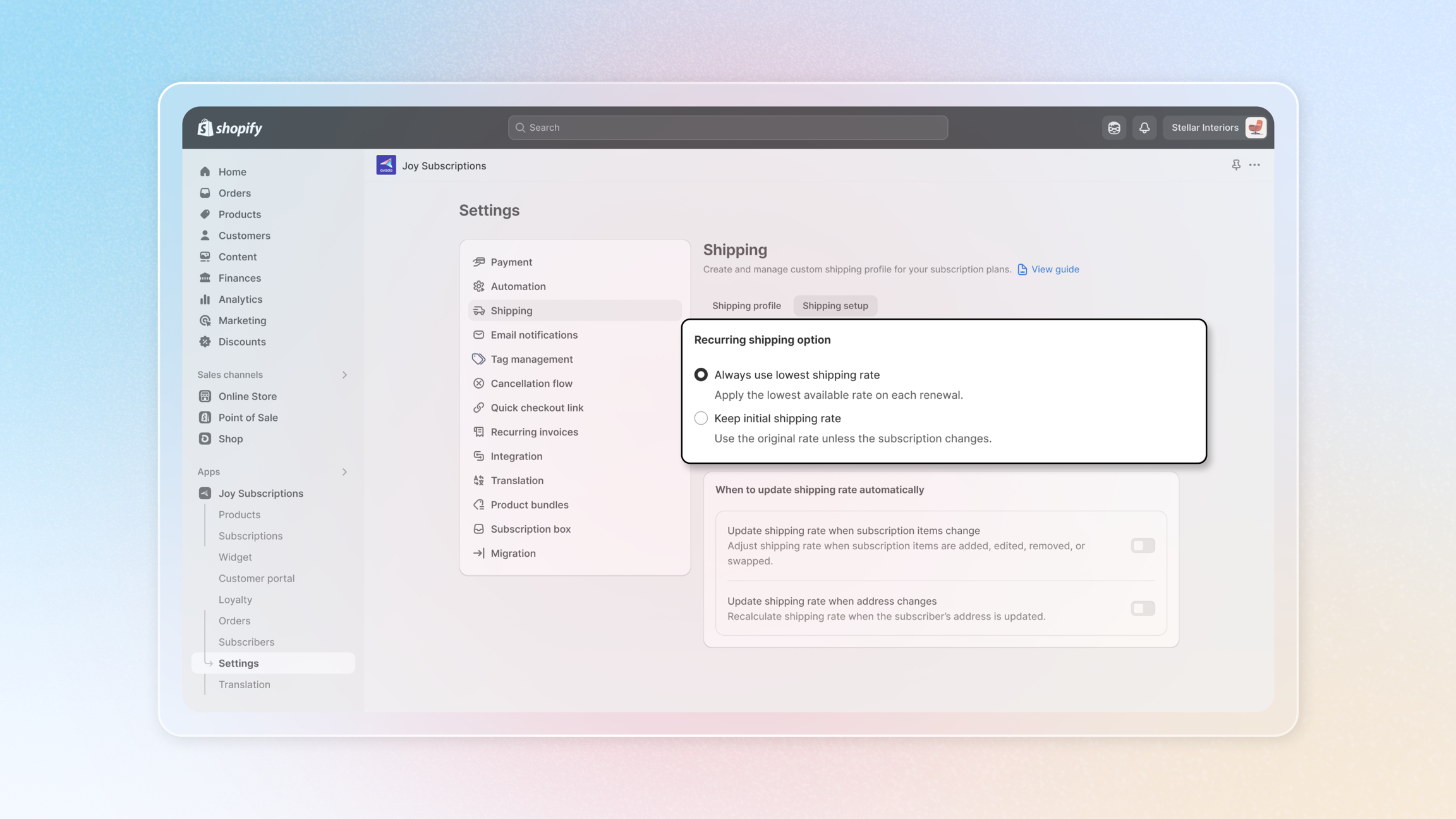
Recurring Shipping Options
You have two main strategies for managing recurring order shipping rates:
Option 1: Always Use Lowest Shipping Rate (Shopify Default)
- Each renewal period, the system automatically applies the lowest available shipping rate
- Recalculates shipping based on current Shopify shipping settings
- Ensures customers always get the most cost-effective shipping option
Option 2: Keep Initial Shipping Rate
- Locks in the shipping rate from the initial checkout
- Applies this same rate to all recurring orders
- Maintains rate consistency unless major subscription changes occur
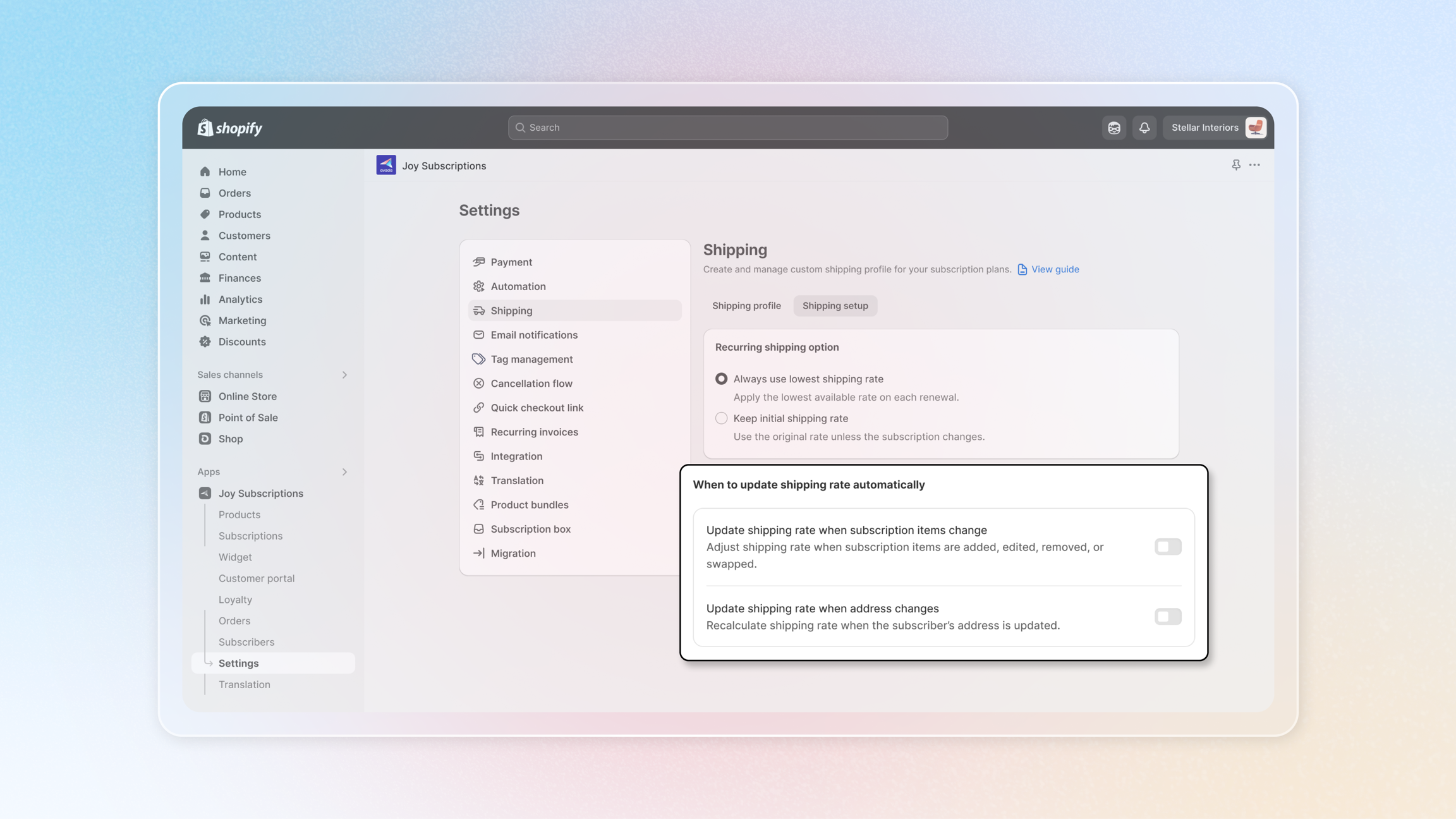
When to Update Shipping Rate Automatically
Note:
These options are only available when you select
Always use lowest shipping rateas your recurring shipping option.
Option 1: Update Shipping Rate When Subscription Items Change
| What triggers an update | What DON'T trigger an update |
|---|---|
| ✓ Customer edits a product in their subscription | ✗ Customer edits discount codes |
| ✓ Customer adds a new product to their subscription | ✗ Customer changes pricing (if allowed) |
| ✓ Customer removes a product from their subscription | |
| ✓ Customer swaps one product for another | |
| ✓ Customer changes delivery frequency (e.g., from monthly to quarterly) |
Option 2: Update Shipping Rate When Address Changes
What triggers an update:
✓ Customer updates their shipping address to a different zone
✓ Address change affects applicable shipping rates
✓ New address qualifies for different shipping methods
Step-by-Step Setup Guide
-
Navigate to Shipping Setup
go to Settings → Shipping → Shipping Setup
-
Choose Your Recurring Shipping Option
Always use lowest shipping rate:- Select this option if you want recurring orders to always use the most cost-effective rate
- This reveals additional auto-update settings (continue to step 3)
Keep initial shipping rate:- Select this option to maintain the shipping rate from initial checkout
- Skip to step 4
-
Configure Auto-Update Settings
Enable/Disable:
Update shipping rate when subscription items change☑ Check this box to recalculate shipping when products are edited, added, removed, swapped, or frequency changes
Enable/Disable:
Update shipping rate when address changes☑ Check this box to recalculate shipping when customers update their delivery address
-
Save Your Settings
-
Click Save to apply your shipping setup configuration
-
The system will now apply this logic to all future recurring orders
-
Check out this interactive demo to see the steps in actions