Where Can a Customer Cancel Their Subscription?
According to our policy, customers are allowed to cancel their subscriptions directly from your store. This guide will walk customers through the process of canceling their subscriptions.
For Customers with an Account on Your Store:
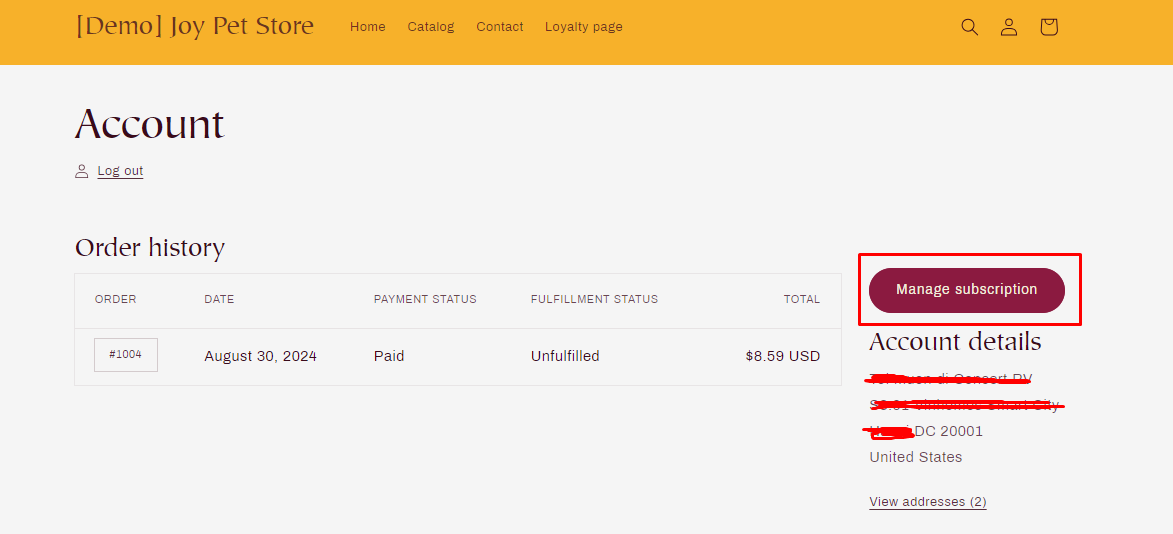
Step 1: Access the Account Page: Customers should log in to their account on your store and navigate to the Account page.
Step 2: Manage Subscription: Once on the Account page, customers should select the Manage Subscription option.
Step 3: View Subscription Details: Here, customers will see an interface displaying all details related to their subscriptions in your store. To proceed with canceling a subscription, they need to select My Subscriptions.
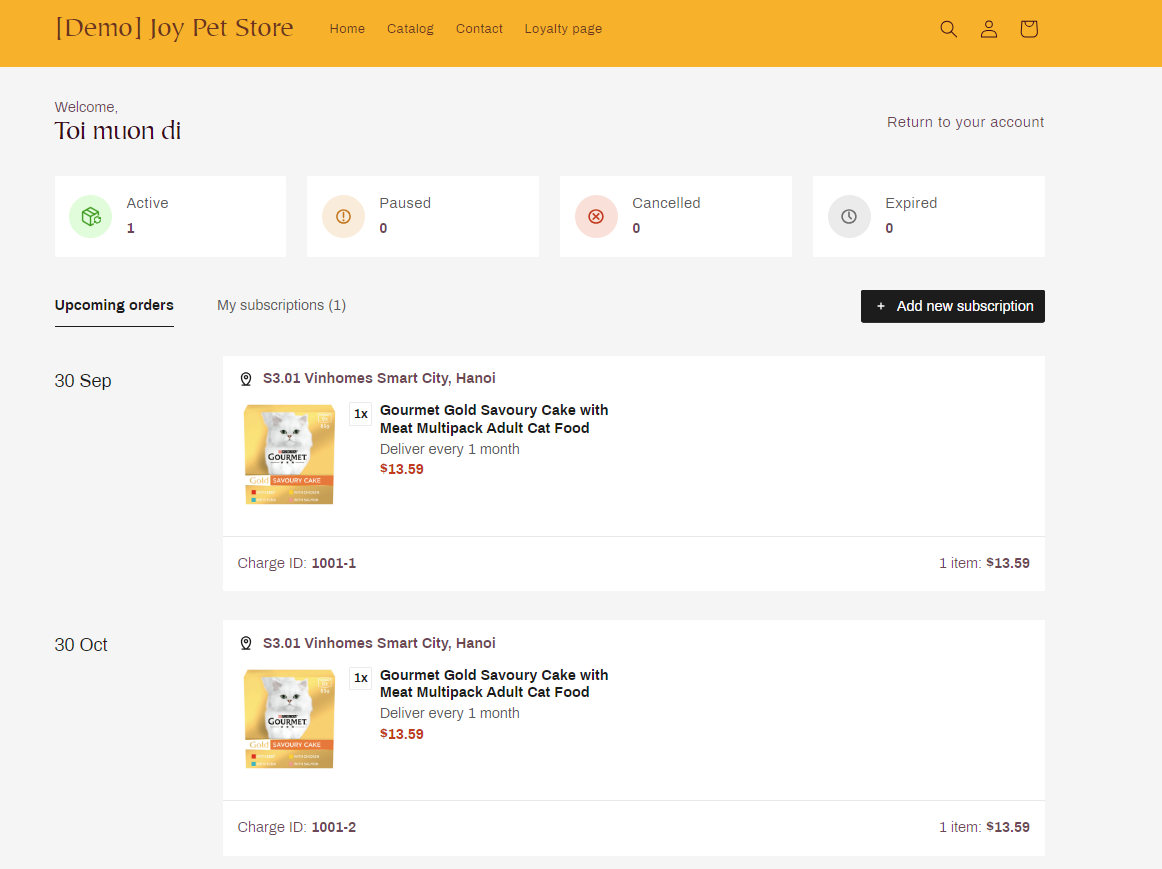
Step 4: Choose Subscription to Cancel:
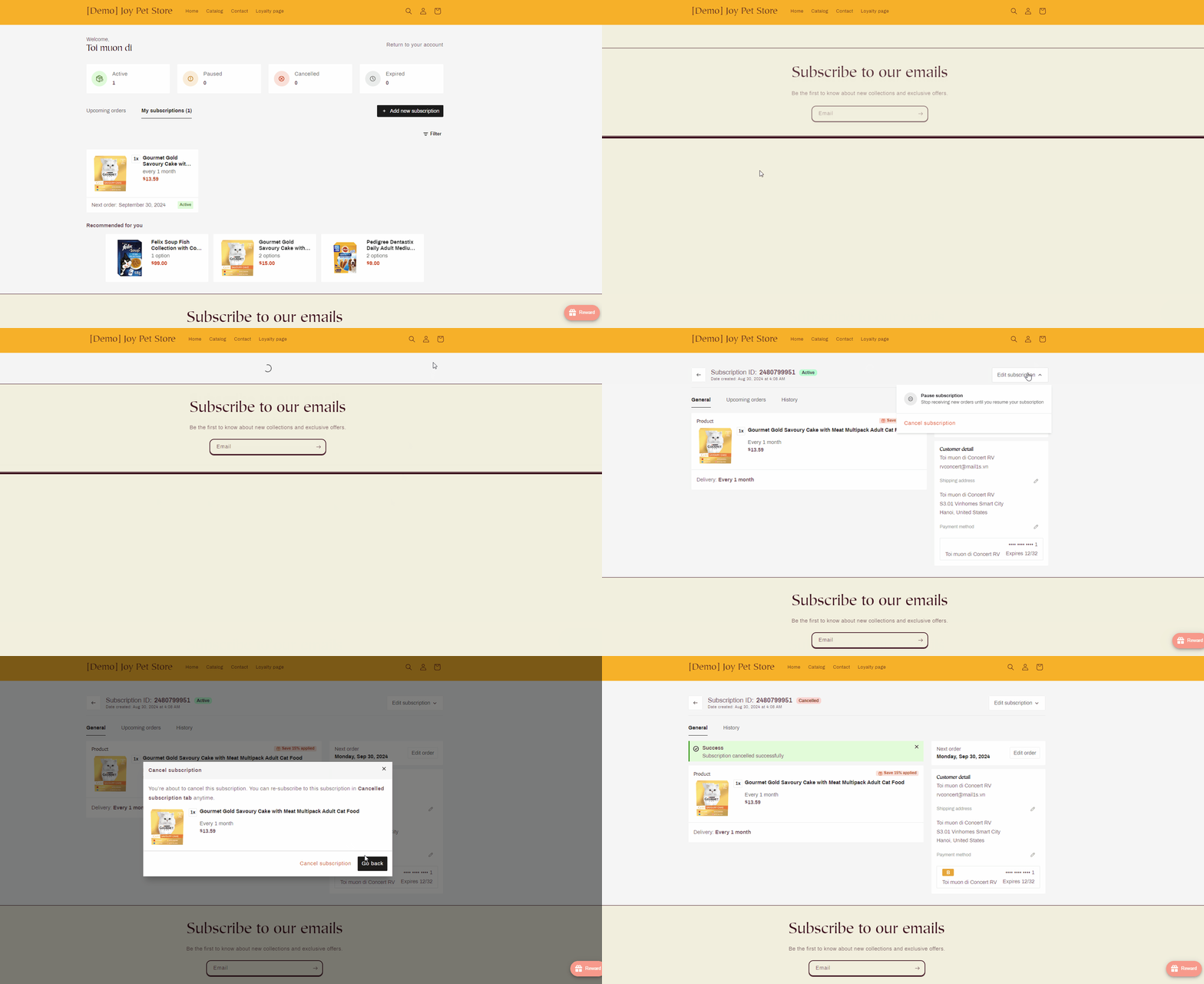
Customers should choose the subscription they wish to cancel and then select the desired action under Edit Subscription:
- Pause Subscription: Stop receiving new orders until they resume their subscription.
- Cancel Subscription: Permanently cancel the subscription.
For Customers Without an Account on Your Store:
- Create an Account:
- Customers need to use the email address associated with their order to create an account on your store.
- Follow the Steps Above:
- After creating an account, they can follow the steps mentioned above to cancel their subscription.
By following these steps, customers can easily manage and cancel their subscriptions as needed.