Import subscription plan
Note:
Import Existing Plan option is only available if you have previously set up one or more subscription plans
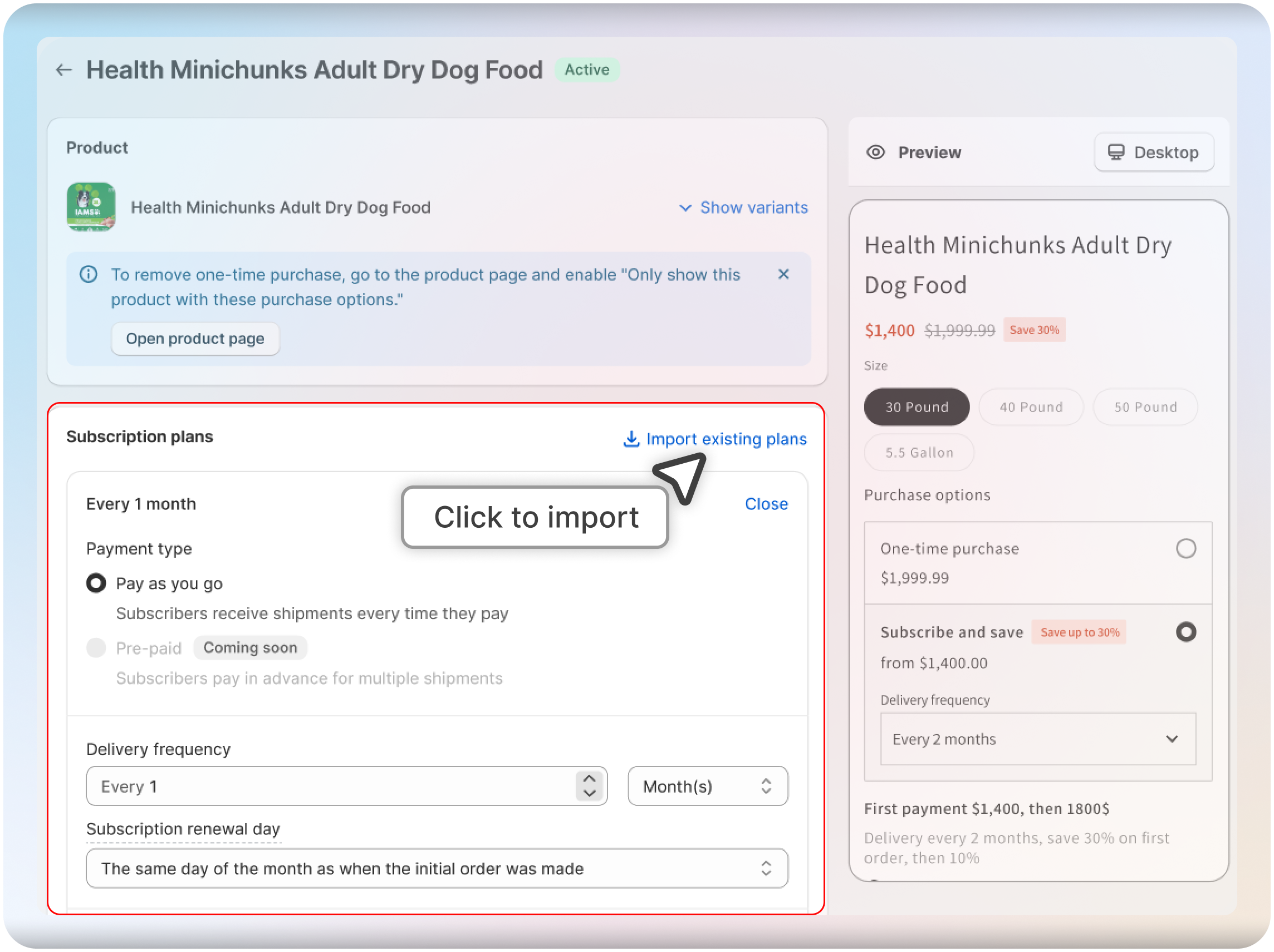
Step 1: Navigate to the Products section in the menu, select the product you want to add a subscription to, and click on "Import Existing Plans."
Step 2: Select a Subscription Plan
Choose the subscription plan you want to import for the selected product
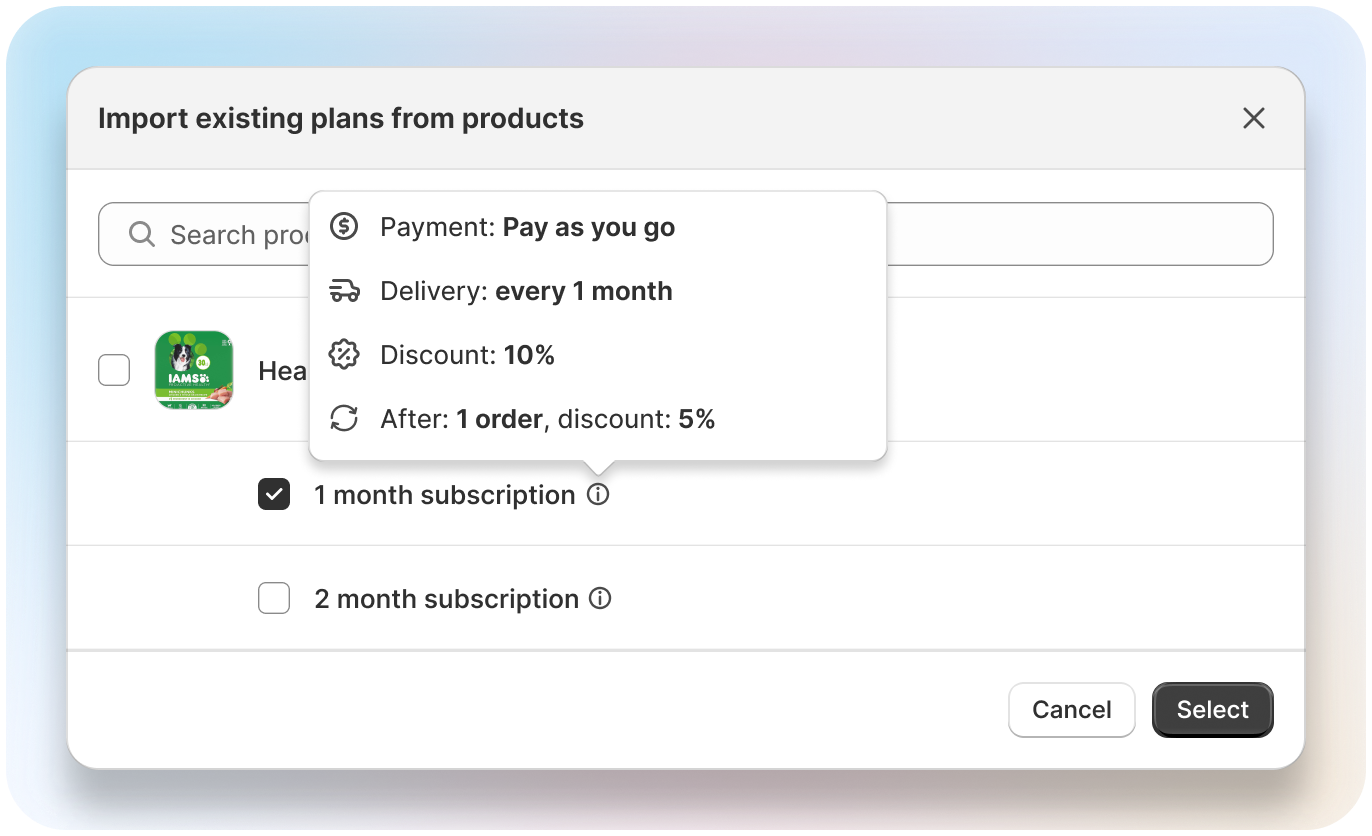
That's it! Your chosen subscription plan is now applied to the new product.