Activate Joy Subscription
Introduction
Activating Joy Subscription is the first essential step for merchants to start using the app and manage subscription services effectively. This guide will help you enable the app on your Shopify store so you can begin offering subscription options to your customers.
Understanding the Rule
To use Joy Subscription, you need to activate it through your Shopify admin. The activation process integrates Joy Subscription with your store’s theme, ensuring that the subscription widget is correctly displayed on your product pages. Without activation, the app won't be able to manage subscriptions or process recurring orders.
How to Set Up:
Step 1:
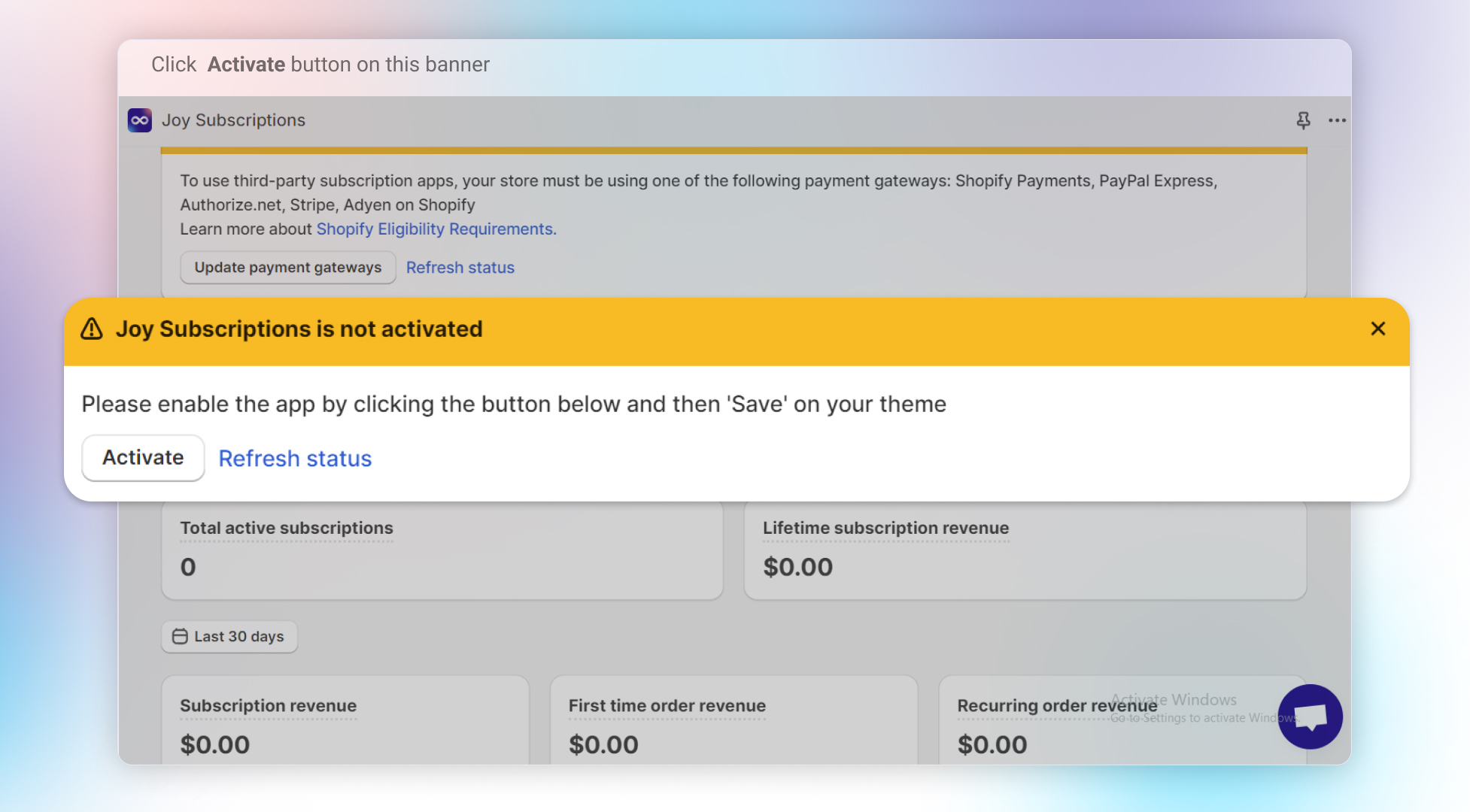
Open the Joy Subscription app from your Shopify admin dashboard. On the main dashboard, you will see a banner labeled “Joy Subscription is not activated”. Click the Activate button on this banner.
Step 2:
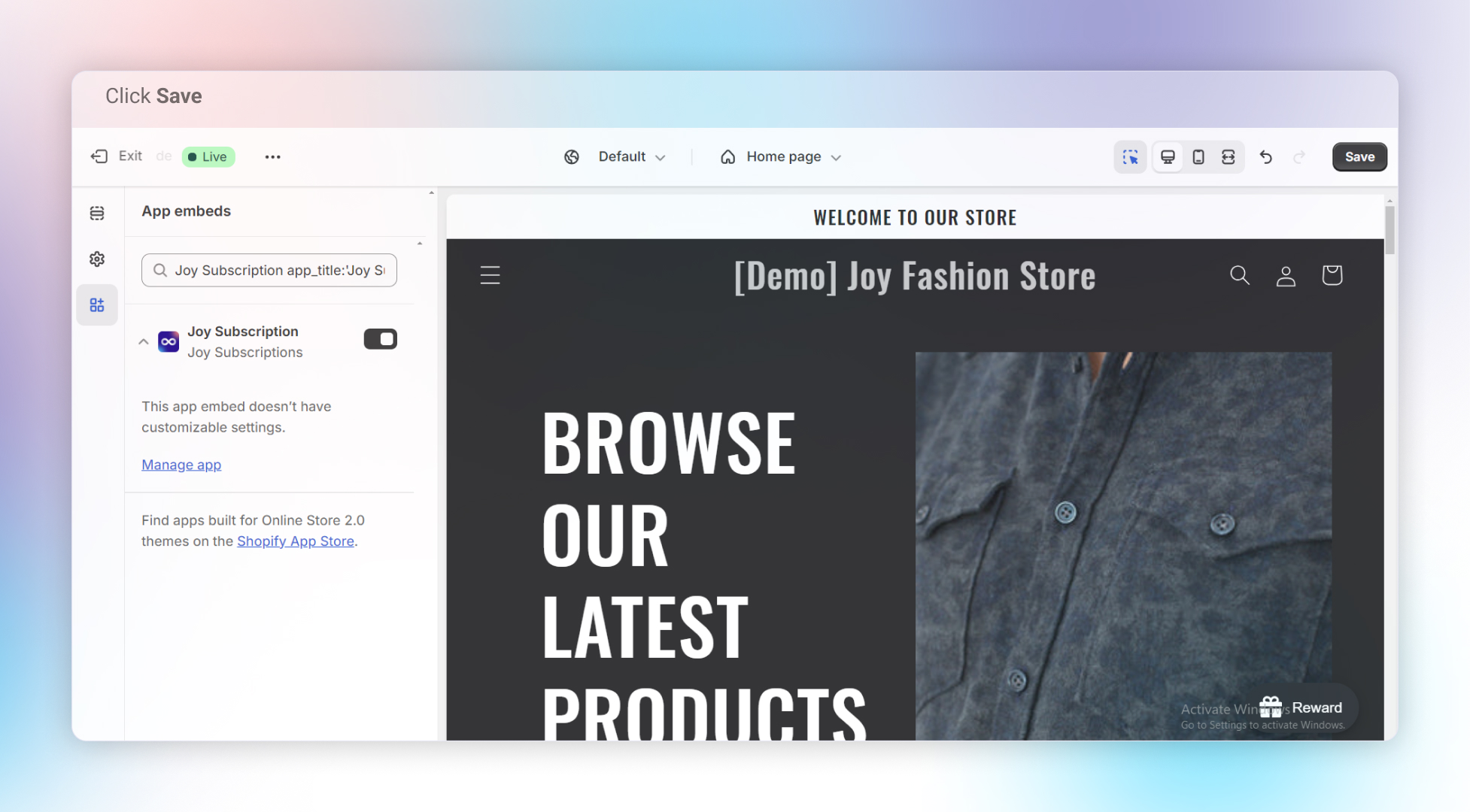
You will be redirected to your Shopify theme settings. The Joy Subscription widget will already be enabled in the theme settings.
Step 3:
Simply hit Save to complete the activation process. Once saved, Joy Subscription will be active on your store, and you can begin using its features.
Note:
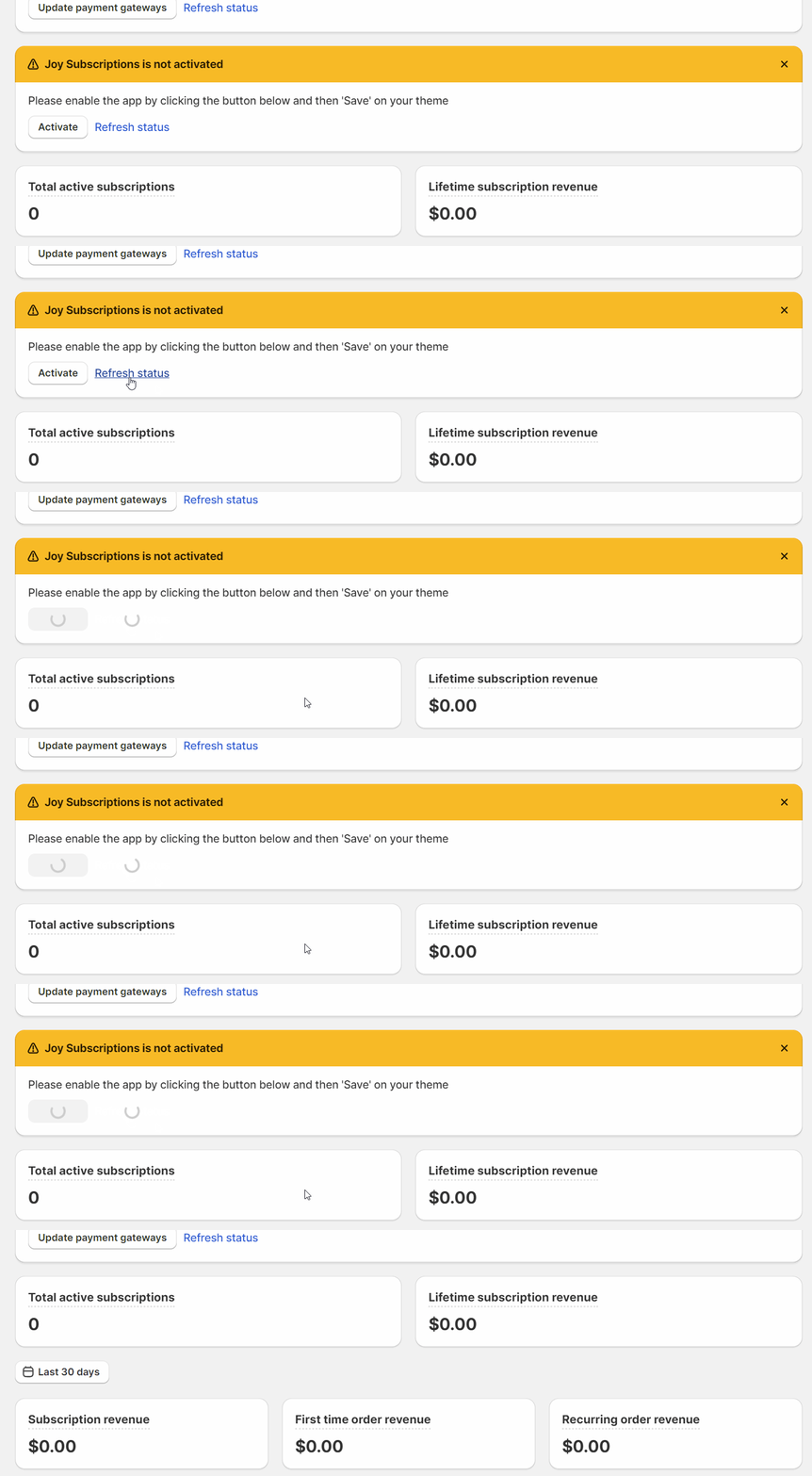
To check if you have successfully activated the Joy Subscription app, go back to the Joy Subscription dashboard and select refresh status on the banner "Joy Subscription is not activated." If you have successfully activated the app, the banner will disappear, and a pop-up notification confirming the activation will appear.
Overall
Activating Joy Subscription is a simple process that ensures the app is fully integrated with your Shopify store. By following the steps above, you’ll have the app ready to manage subscription services, automate recurring orders, and offer a seamless experience for your customers.