Import subscription plan
This article helps you apply a subscription plan you have already set up to another product.
Before you begin
Import Existing Plan option is only available if you have previously set up one or more subscription plans
Steps
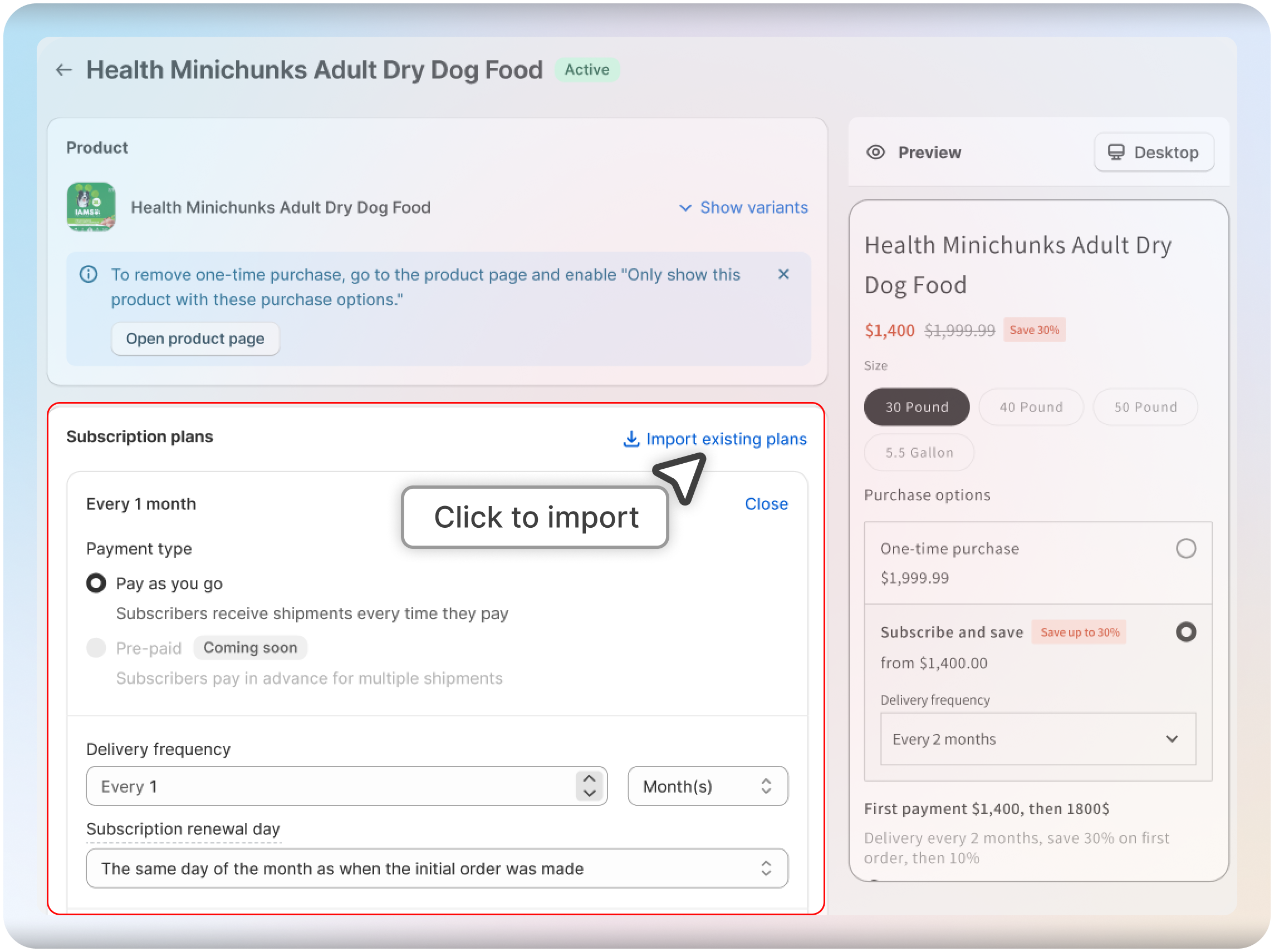
Open the product and click Import Existing Plans
Navigate to the Products section in the menu, select the product you want to add a subscription to, and click on "Import Existing Plans."
Select a Subscription Plan
Choose the subscription plan you want to import for the selected product
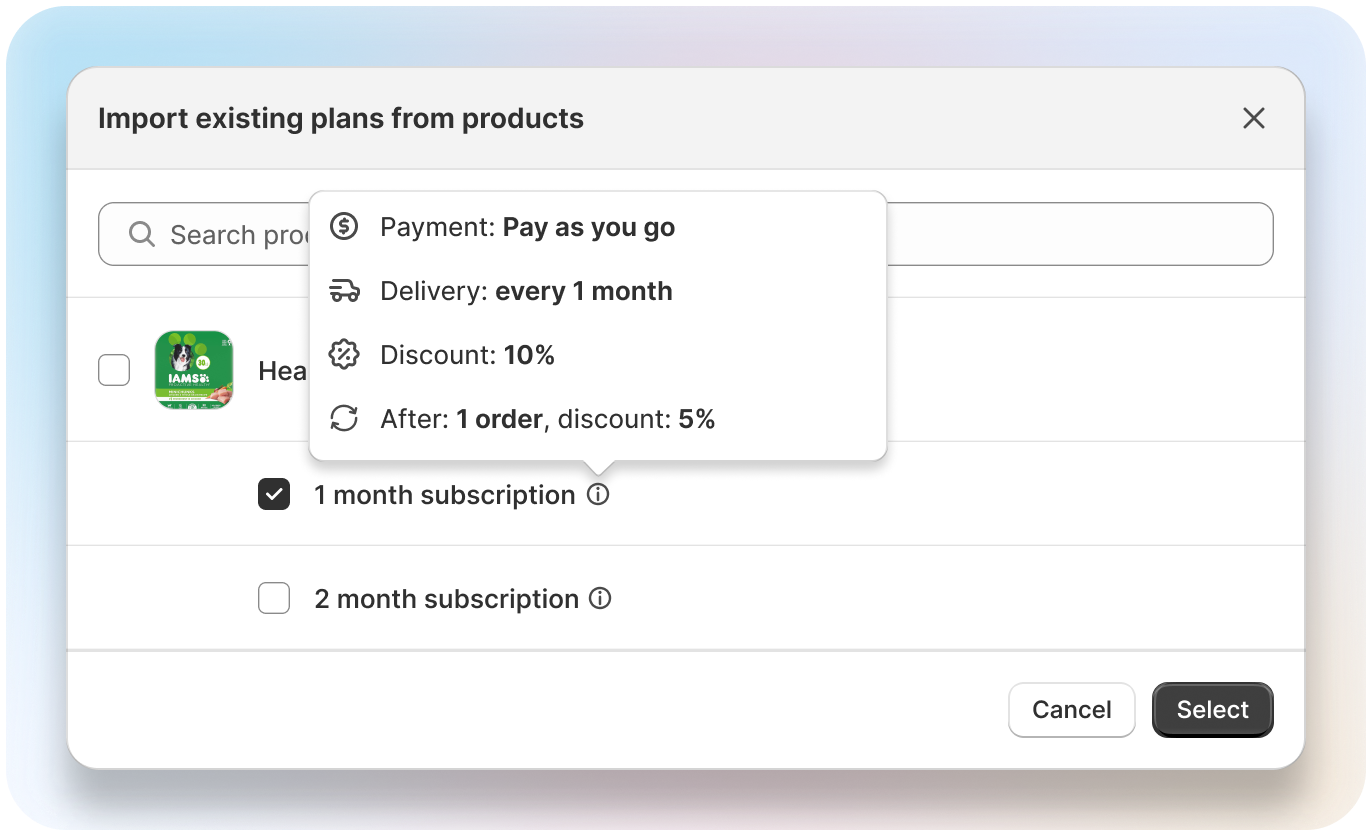
That's it! Your chosen subscription plan is now applied to the new product.
Related articles
Was this article helpful?