Sender Email
This guide helps you choose which email address appears as the sender on emails to your customers, either Joy's default email or your own verified address.
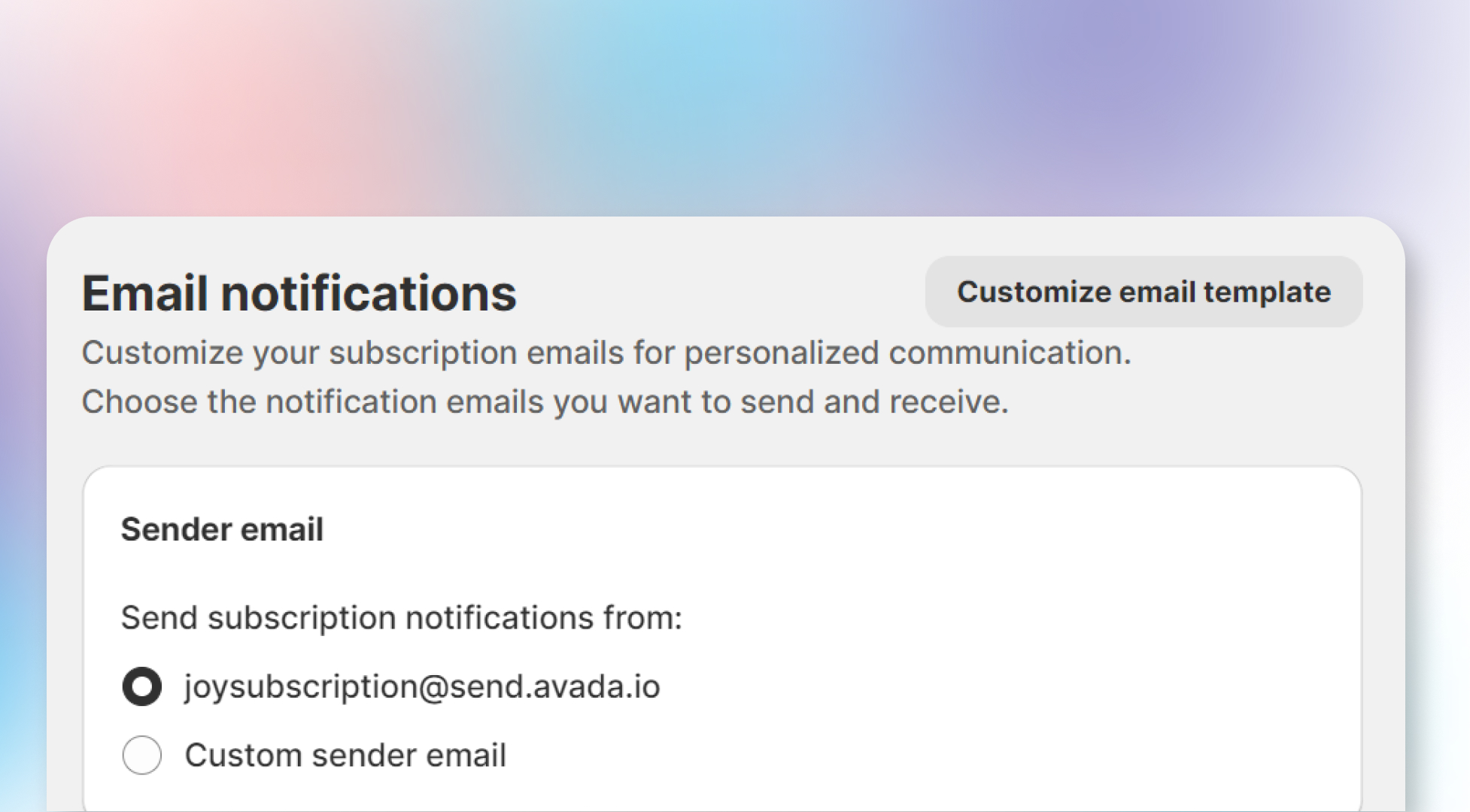
Introduction:
With the Sender Email feature in Joy Subscription, you can control which email address appears as the sender for all communications sent to your customers. This allows you to either use Joy's default email or customize it to reflect your own business identity.
Understanding the rule:
You have two options for the sender email:
- Default Email:
[email protected], which automatically handles email communications. - Custom Sender Email: Use your own email address for a more personalized experience. This requires you to verify your email through a confirmation link sent to your inbox.
How to set up:
To set up your sender email:
Choose a sender option
Choose between the Default Email or Custom Sender Email options.
Enter your email address
If you choose Custom Sender Email, enter your email address.
Verify your email
Verify your email by following the confirmation instructions sent to your inbox.
Overall
Setting up the right sender email ensures a professional communication channel with your customers. Whether using Joy Subscription's default email or your own custom email, make sure the sender information aligns with your brand’s tone and professionalism.
Related articles
- Why cannot I see my test email in the inbox or spam box?
- Customer notifications
- Customize email template