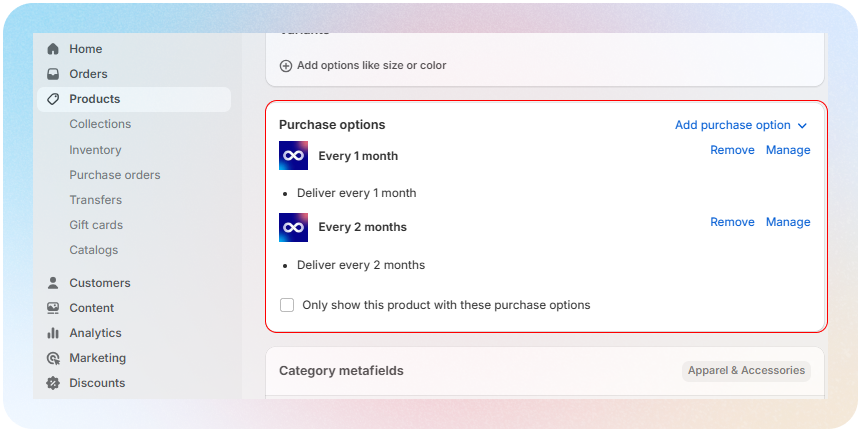
How can I remove the "one-time-purchase" option from the widget?
To remove the "one-time-purchase" option from the widget, go to your Shopify Admin, navigate to Products > select the product > scroll down to the Subscriptions card, and toggle the "Only show this product with these purchase options" setting