Store Owner Notifications
This guide helps you choose which alerts you receive about low stock, failed subscription payments, and successful charges.
Introduction
Store owner notifications help merchants manage their subscriptions more effectively by providing timely updates about stock levels, payment issues, and charge confirmations. With Joy Subscription, you can easily monitor these key events and take necessary actions to maintain smooth operations.
Understanding the rule
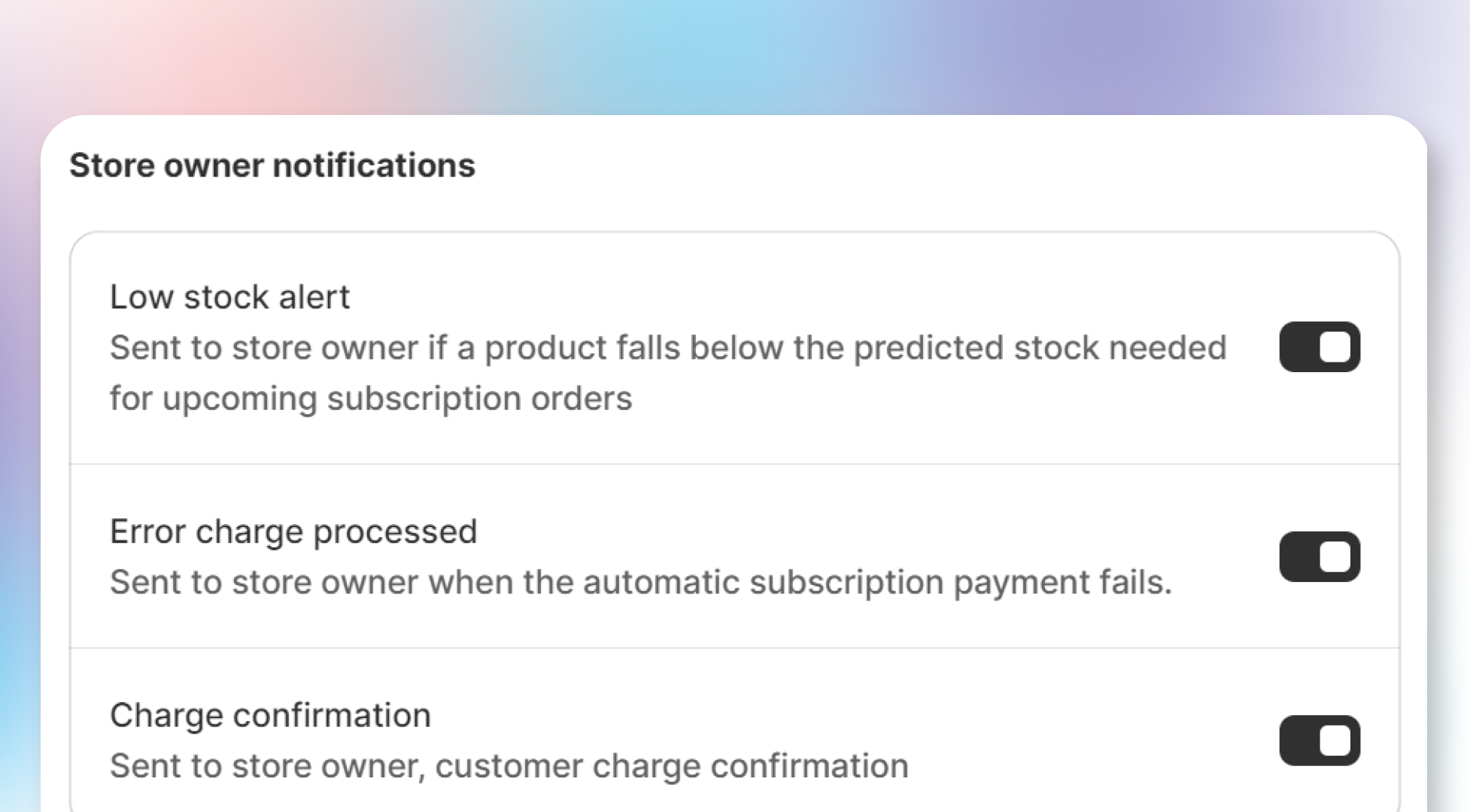
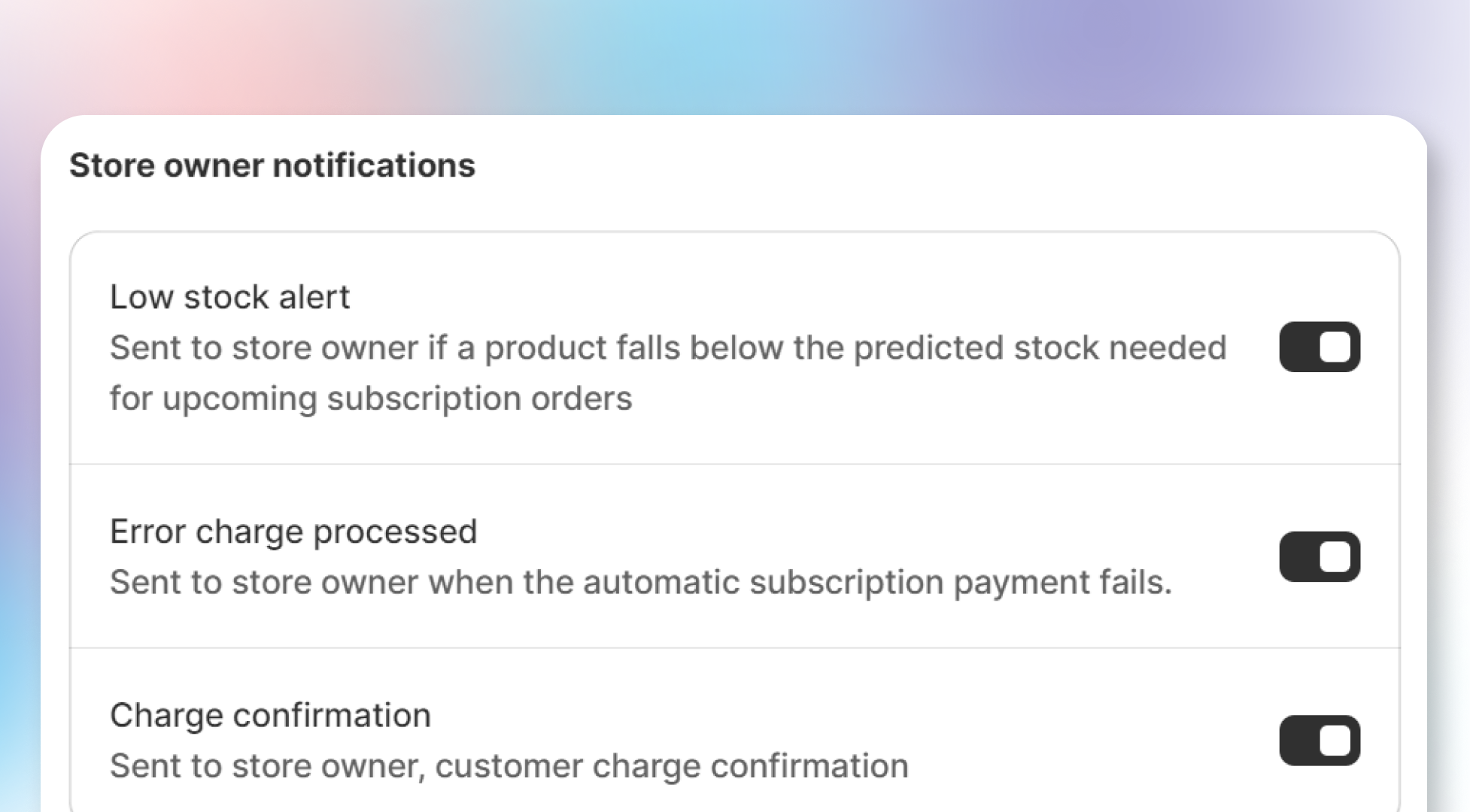
These notifications are sent to the store owner by Joy Subscription. Merchants can enable or disable the following notifications:
- Low stock alert: Sent when a product's stock falls below the predicted quantity needed for upcoming subscription orders.
- Error charge processed: Sent when an automatic subscription payment fails.
- Charge confirmation: Sent to confirm a successful payment charge for a customer.
When these conditions are met and notifications are enabled, Joy Subscription will automatically send an email to the merchant.
How to set up
To configure store owner notifications:
Go to Settings
Go to Settings.
Select Email Notifications
Select Email Notifications.
Open Store Owner Notifications
Click on Store Owner Notifications.
Enable or disable notifications
Enable or disable the notifications as you prefer.
Overall
Store owner notifications ensure that merchants are always updated on key events affecting their subscriptions, allowing them to take timely action and keep their operations running smoothly.